How to Create Your First Check-In & Start Earning
Capture the moment, tell the story, and make it beautifully bookable
How to turn your new and existing travel content into dynamic guides that are beautifully bookable through Curated

Head to your Curator dashboard
Under the Content Tab, hit Create Content and select Check-In to create a new post

Upload your media
Add the visuals that bring the stay to life:
A mix of photos
Short video clips
Ambient moments, room details, food shots, the view
The more sensory and atmospheric, the better your Check-In feels.

Add your post data
Make your Check-In clear, discoverable, and compliant by filling in:
Tag the space you’re staying at
Title (e.g. “Slow Morning at Artist Residence”)
Caption (your first impressions)
Season of your stay
AD marker (e.g., gifted, press stay, collab)
Think of this as the top-level context.

Add deeper details to each piece of media
For each photo or video you can add
A caption with longer-form thoughts, storytelling or notes
Hints such as “Don’t miss the…” and “Best spot for…”
Product Links to items you’re wearing or found in the space
These extras make your Check-In feel rich, personal and more likely to convert interest to bookings.

Scroll to gallery to reorder or set a new cover
Scroll to Gallery View to:
Drag and drop to reorder your media
Set a new cover image
Create the visual flow that tells the story best
A good cover = higher clicks.
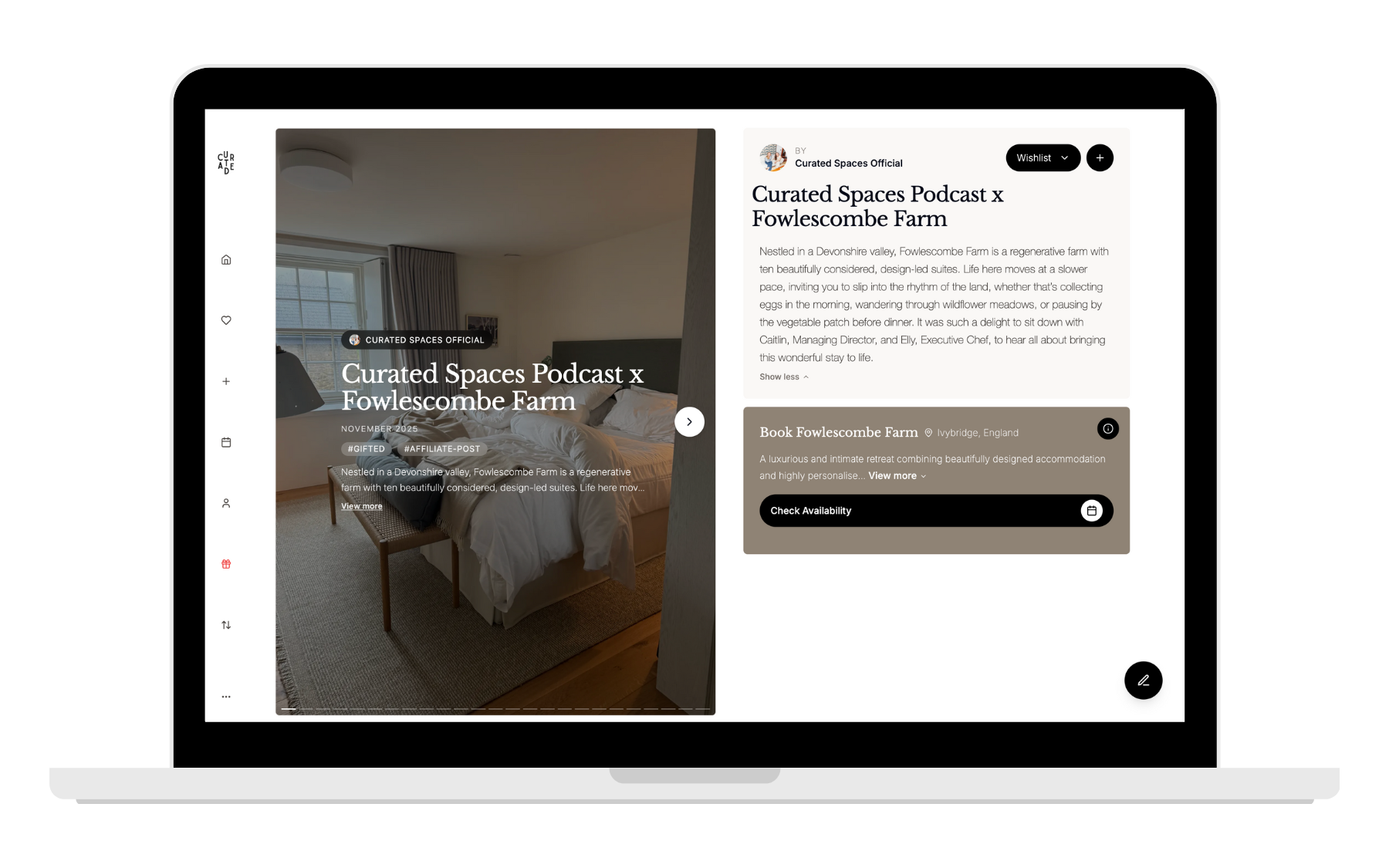
Save for later or publish now
Not ready yet? Save it as a draft.
Ready to go? Hit Publish and your Check-In will go live on your Curated profile instantly.
Last but not least, remember to share your Check-In everywhere your audience lives.
Once your Check-In is live:
Drop the link on Stories
Add it to your caption on TikTok
Share it in your newsletter or blog
Send it to friends who always ask for recommendations
This link is your booking engine: the more you share it, the more people can save, book, and earn you commission.